🛡️ GitLab Dependency Scanning
vet supports native GitLab Dependency Scanning. You can use vet to protect your project from malicious and vulnerable dependencies on every push and merge request to GitLab.
Prerequisites
- GitLab Account
- GitLab Group with Ultimate Plan
Any kind of security scanning is only available to GitLab Ultimate plans.
Free users can still use vet ci component to find vulnerabilities and check Policy Violations in their project. See the demo video on youtube
Configure GitLab Dependency Scanning
To enable vet dependency scanning in your GitLab project, you need to:
1. Enable CI on your project.
To do this, create a .gitlab-ci.yml file in the root of your project.
touch .gitlab-ci.yml
2. Add vet as a CI Component in your ci pipeline.
To do this, add the following to your .gitlab-ci.yml file:
Here we use v1.5.0 version of the ci component. Check the Release for latest version.
include:
  - component: gitlab.com/safedep/ci-components/vet/scan@v1.5.0
Now commit and push changes to your project to trigger the first scan.
This is it! 🚀, congrulation you have enabled vet dependency scanning in your GitLab project.
You will see the vet job in your pipeline, with a security tab.
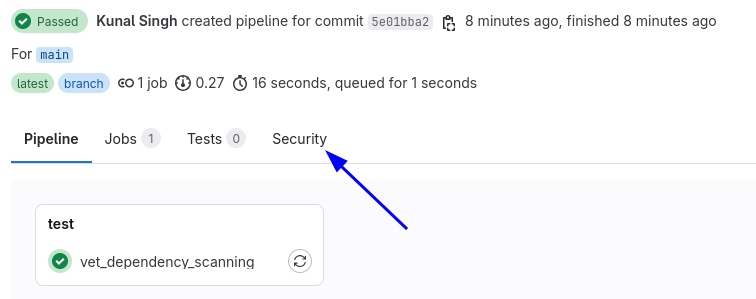
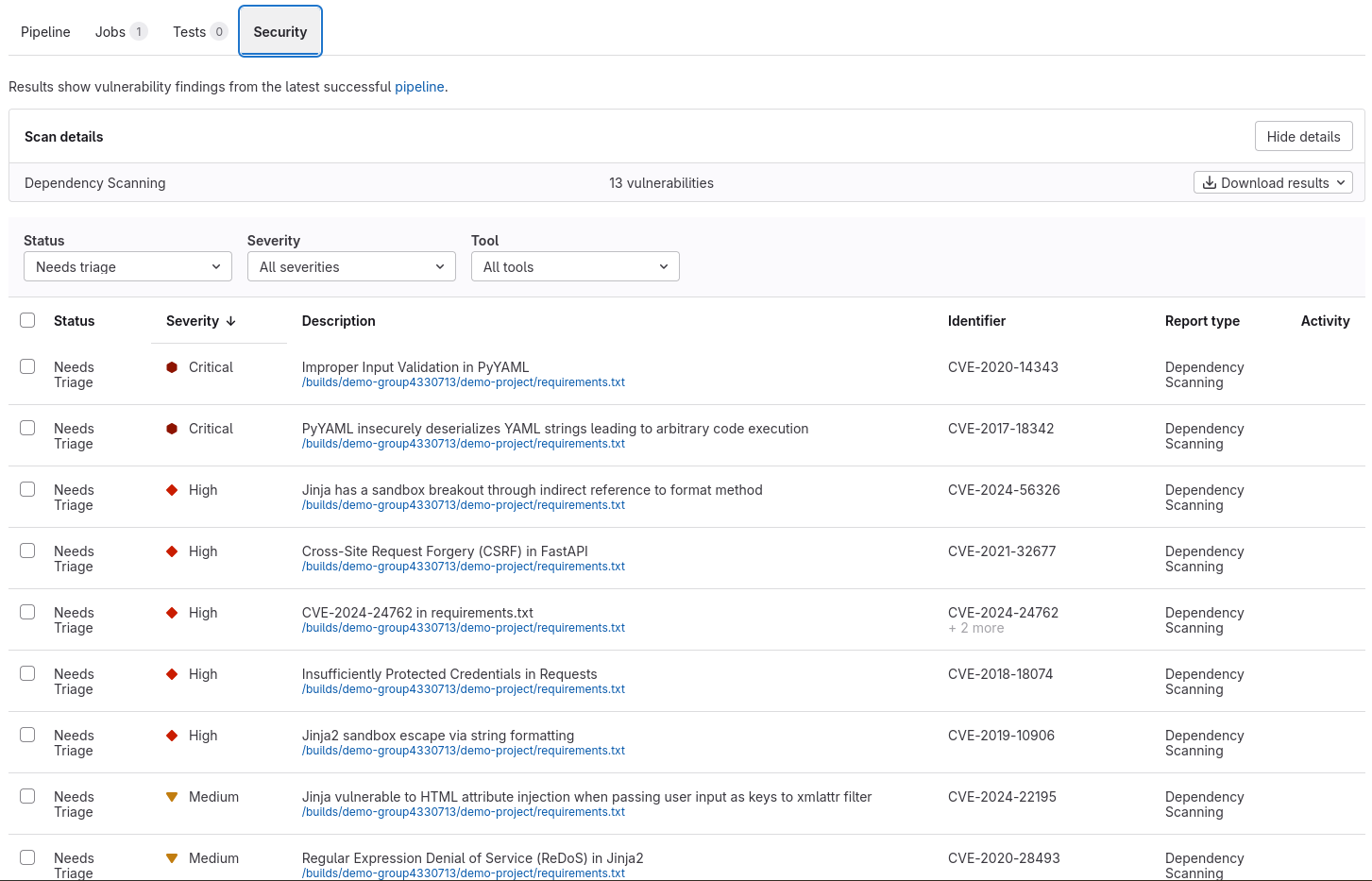
You can find all the vulnerabilities and malware found by vet in the security tab.
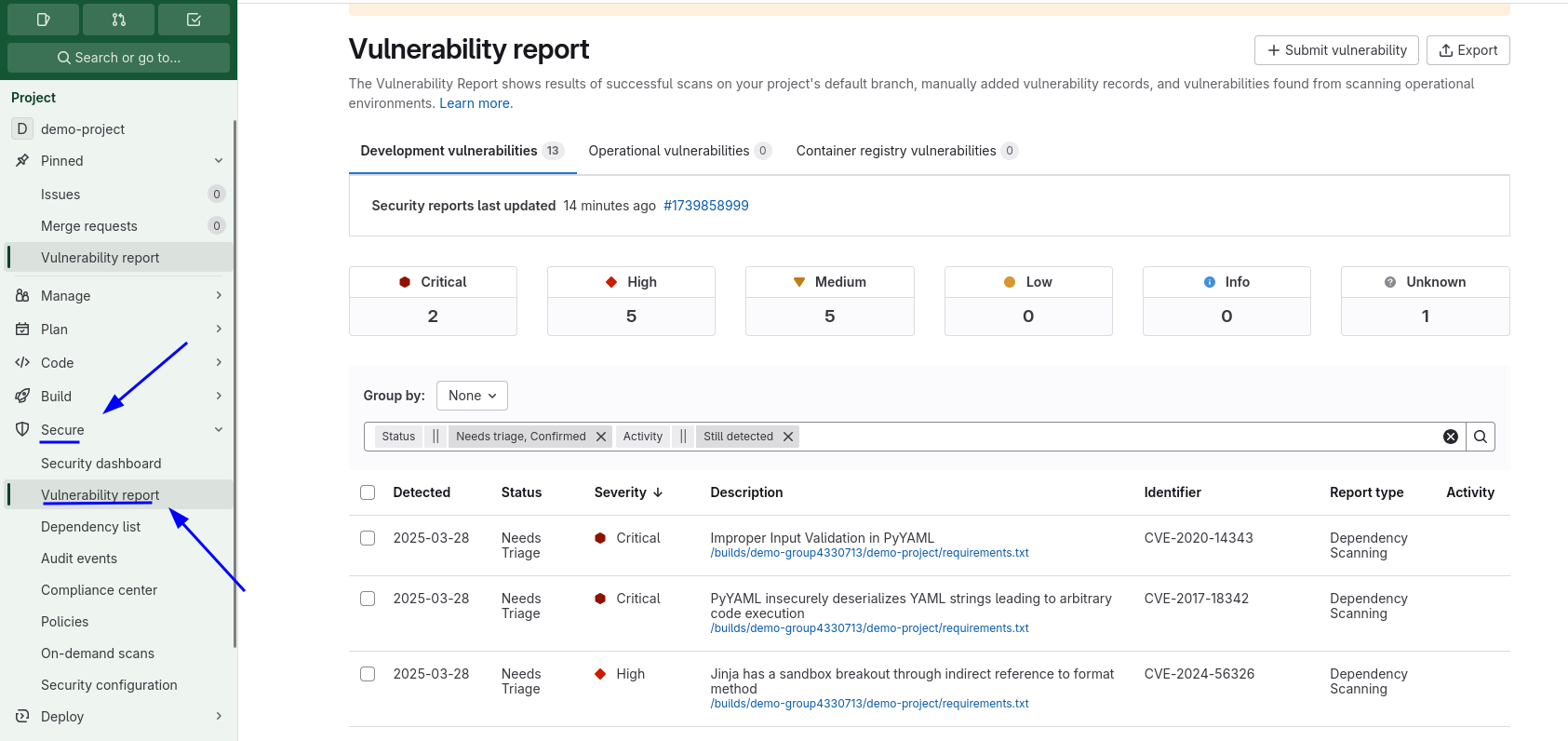
You can also view these details on the Project > Secure > Vulnerabilitiy Report page.
Inputs & Configuration
This CI Component supports many inputs and configuration options.
All inputs & configuration options are available in the vet's GitLab Component Catalog.
Cloud Sync
To enable cloud sync you need to set the following input:
include:
  - component: gitlab.com/safedep/ci-components/vet/scan@v1.4.0
    inputs:
      cloud: true
      cloud-key: $CLOUD_KEY
      cloud-tenant: $CLOUD_TENANT
Make sure to put the CLOUD_KEY and CLOUD_TENANT in the GitLab CI/CD variables.
This will sync the scan results to SafeDep Cloud.
Policy Configuration
To scan with filters and policy file, you can use the following input:
include:
  - component: gitlab.com/safedep/ci-components/vet/scan@v1.5.0
    inputs:
      policy: '.gitlab/vet/policy.yml' # path to your policy file
See Policy as Code for more details.
The CI Job will fail if any policy violations are found. You have to see the logs for finding which policy is violated.
Other Inputs
Version
Specify which version of vet to use.
include:
  - component: gitlab.com/safedep/ci-components/vet/scan@v1.5.0
    inputs:
      version: v1.9.0
Trusted Registries
Trusted registry URLs to use for package manifest verification.
include:
  - component: gitlab.com/safedep/ci-components/vet/scan@v1.5.0
    inputs:
      trusted-registries:
        - https://url.com
        - https://url2.com
Artifacts Access Configuration
Artifact access to determine who can access the job artifacts from the GitLab UI or API. It can be set to all, developer, or none.
include:
  - component: gitlab.com/safedep/ci-components/vet/scan@v1.5.0
    inputs:
      artifact-access: 'developer'
Only use all if you are ok with exposing the security scan results to pulic.
Issue Reporting
If you find any issue with vet GitLab Component, please report it to us on Repository.